Coming soon · AI-assisted production management
Manage your production, from script to wrap.
Use on-device AI to help break down your script. Bring schedules, agreements, and daily reports into one connected workspace, with your production files on your own machine.
- FDX, Fountain & PDF
- Projects stay local
- Agreements & milestones

One connected workflow
One plan for your production.
Break down your script, prepare the paperwork, and track the day’s work. Your schedule, agreements, and daily reports stay connected to the same production.
- 01
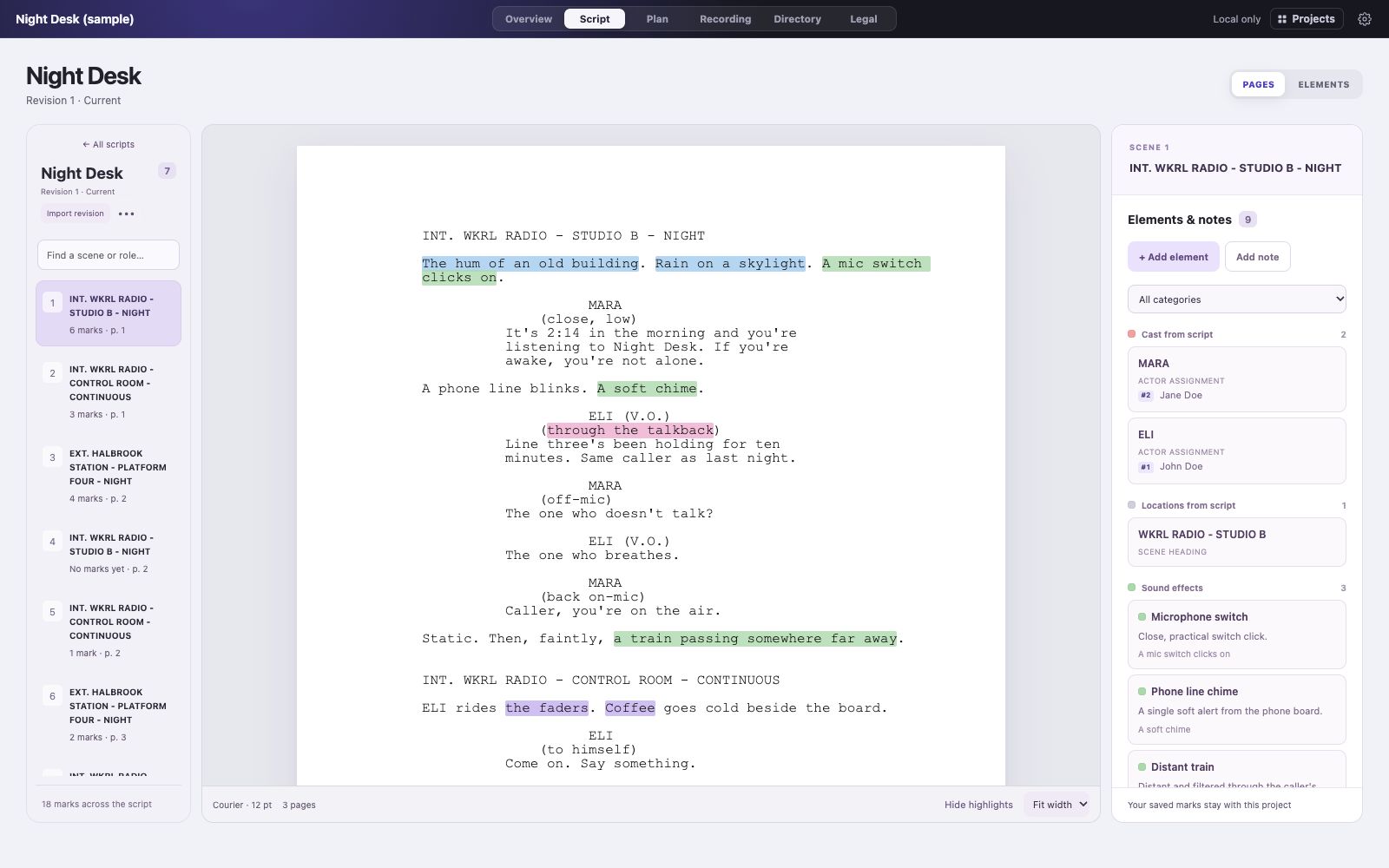
Bring in your script
Import FDX, Fountain, or PDF. Every scene and line stays connected to its original source.
- 02
Break down your script at the click of a button.
Use on-device AI to suggest production elements, with every suggestion connected to its source.
- 03
Review & make changes
Check the breakdown beside your script. Adjust, add, or remove details so the plan reflects your production.
- 04
Turn it into a plan
Build your recording days around whole scenes or just the roles and lines you need.
- 05
Track your days with ease
Follow the day’s progress, mark pickups, and keep arrivals, breaks, and wrap times in one place.
- 06
Create daily production reports at the click of a button
Generate a daily production report from the progress, times, and notes you’ve logged. Save a PDF, ready to share.

Your script. Your judgment.
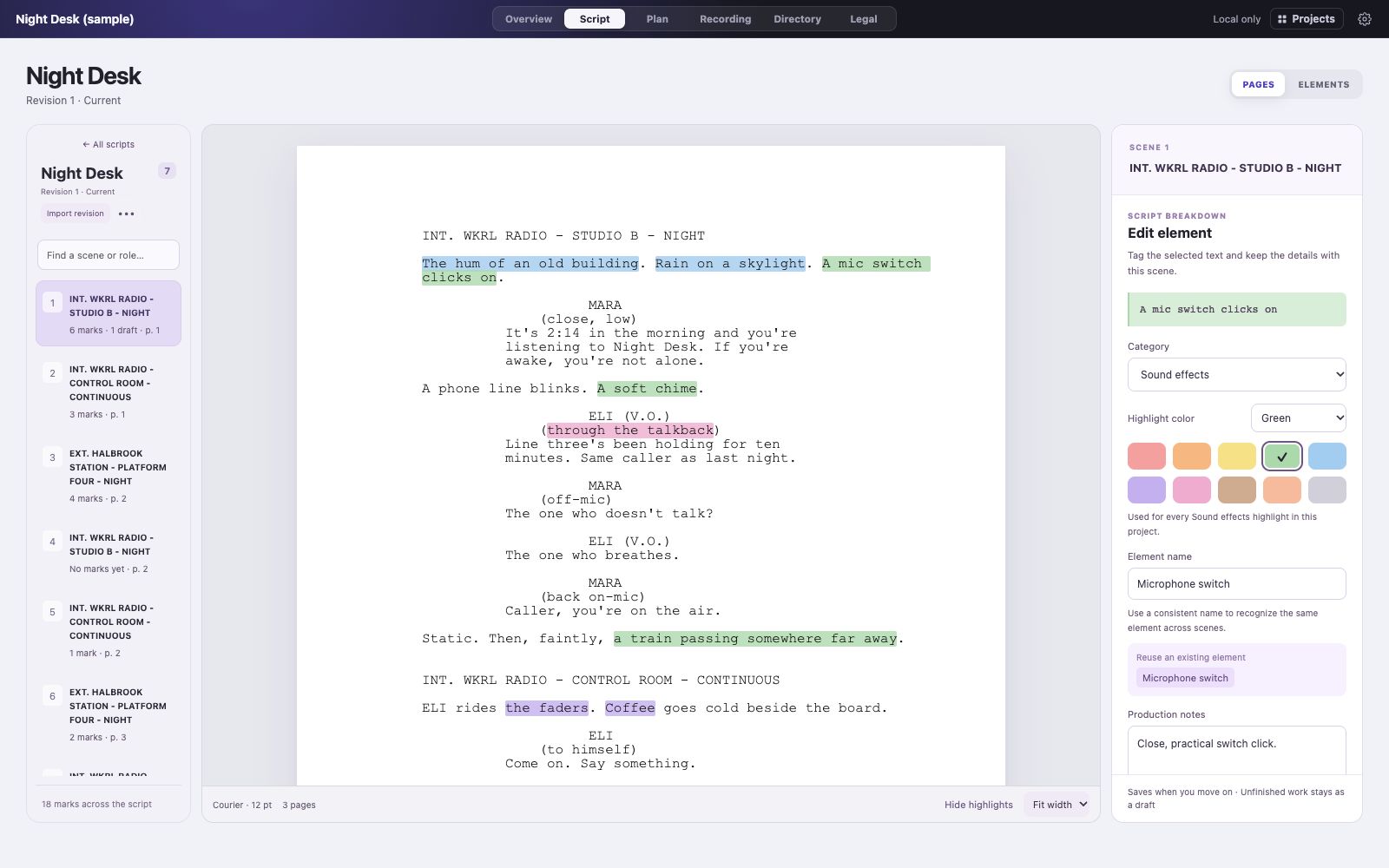
Review & make changes.
See every detail beside the line it came from. Refine the breakdown, add what matters, and keep your production knowledge with the script.
- Check the context. Move between scenes with the original script in view.
- Make it yours. Adjust categories, highlights, and production details.
- Keep the thinking attached. Add notes to the exact elements your team needs.
Storyboard & Previs
See the scene before you shoot it.
Build a shot-by-shot storyboard alongside your script. Keep frames and camera notes with the scene they belong to.
01 · Script
INT. QUIET ROOM – LATE AFTERNOON
Mara stands on the left. Eli stands on the right, a pace apart.
MARA
I kept it.ELI
You didn’t have to.
02 · Storyboard
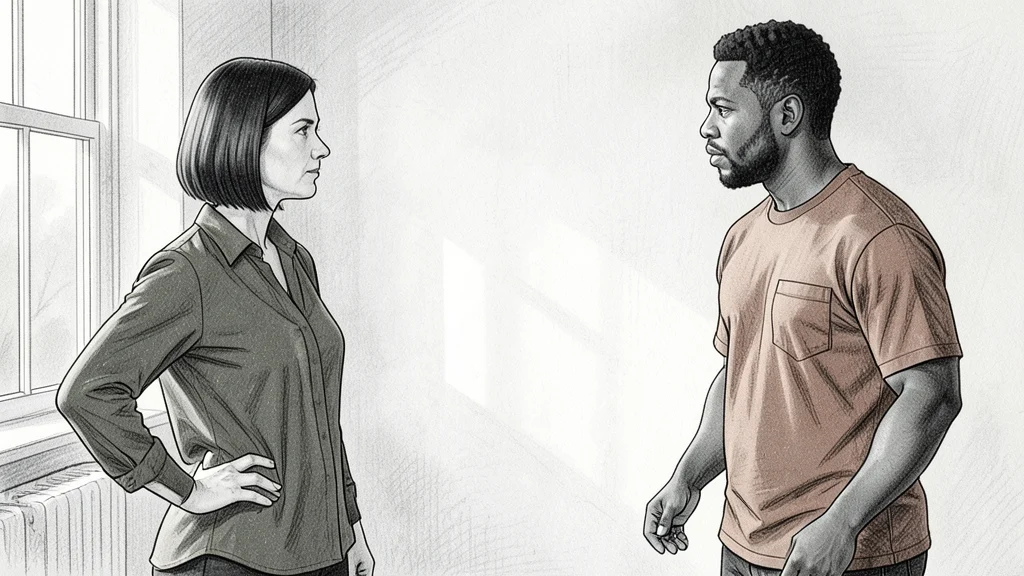
Shot 01 · Medium two-shot
Hold both characters at eye level, with the gap between them in view.
Built around the day’s work
See the plan. Keep the day moving.
Bring scenes, roles, and recording work into one schedule. See what’s planned for each day, then prepare the paperwork your production needs.
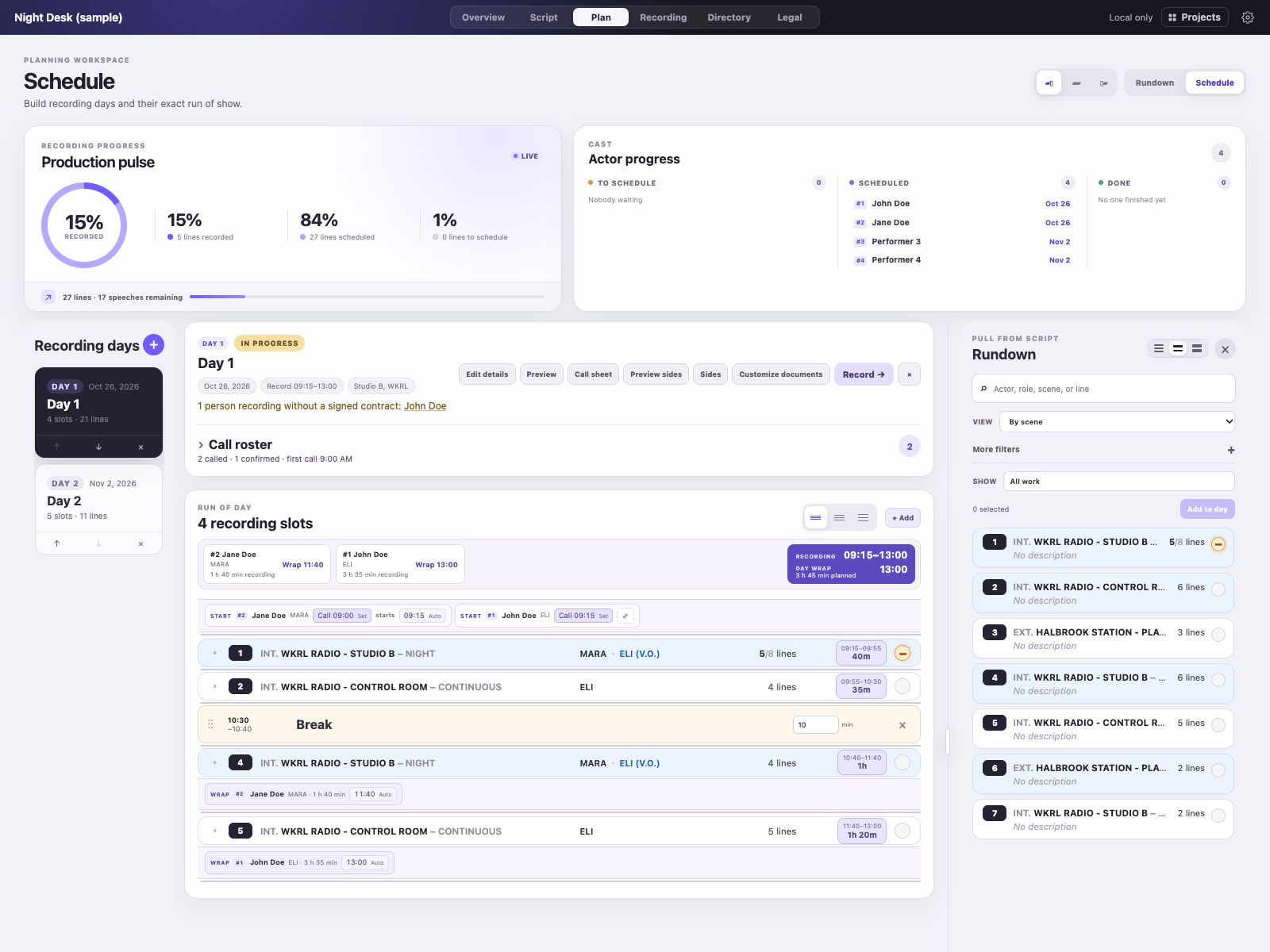
From the same connected plan
The day’s paperwork, ready to share.
Explore real exports from our sample project.
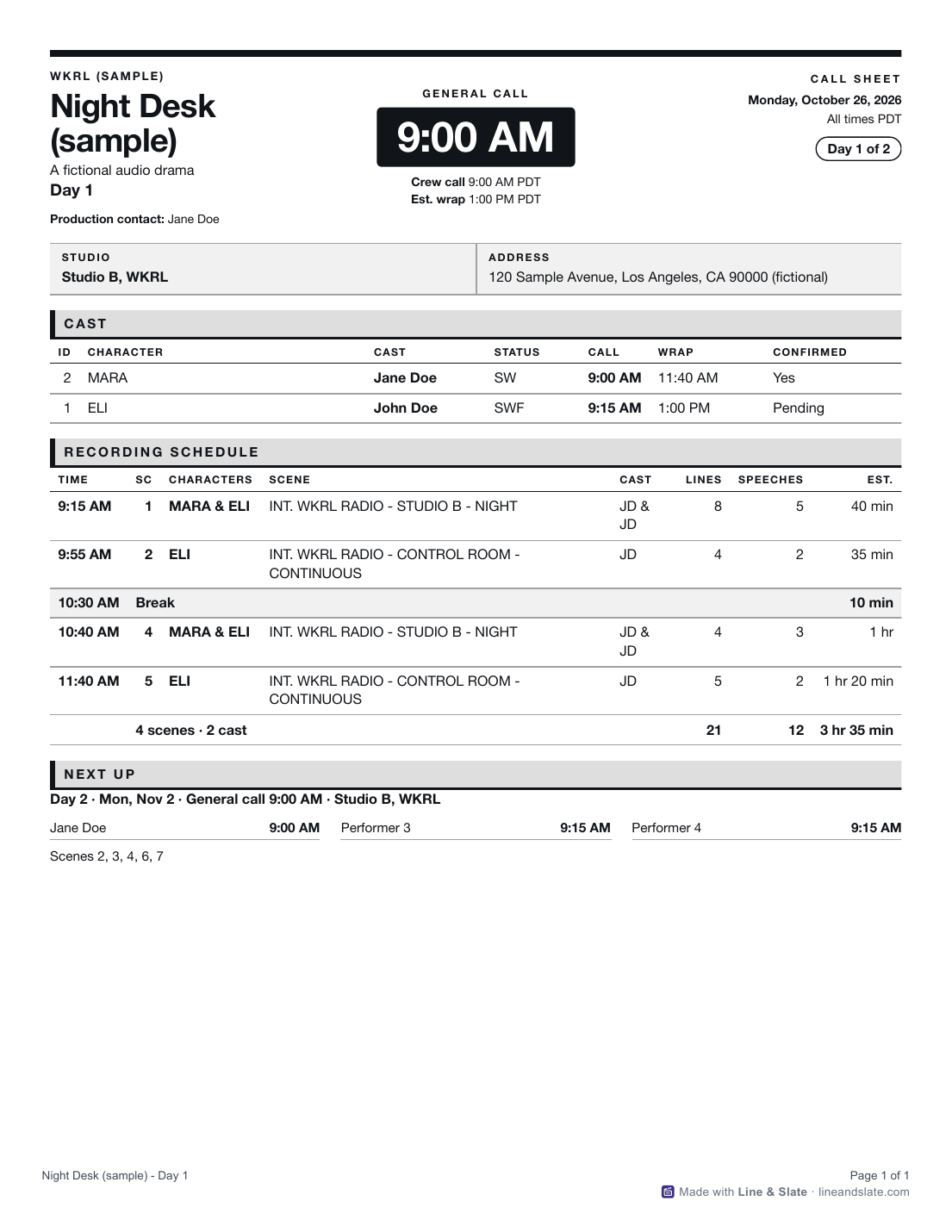
Sample project · PDF
Call sheets
Bring the day’s schedule, calls, and production details together for your team.
Preview sample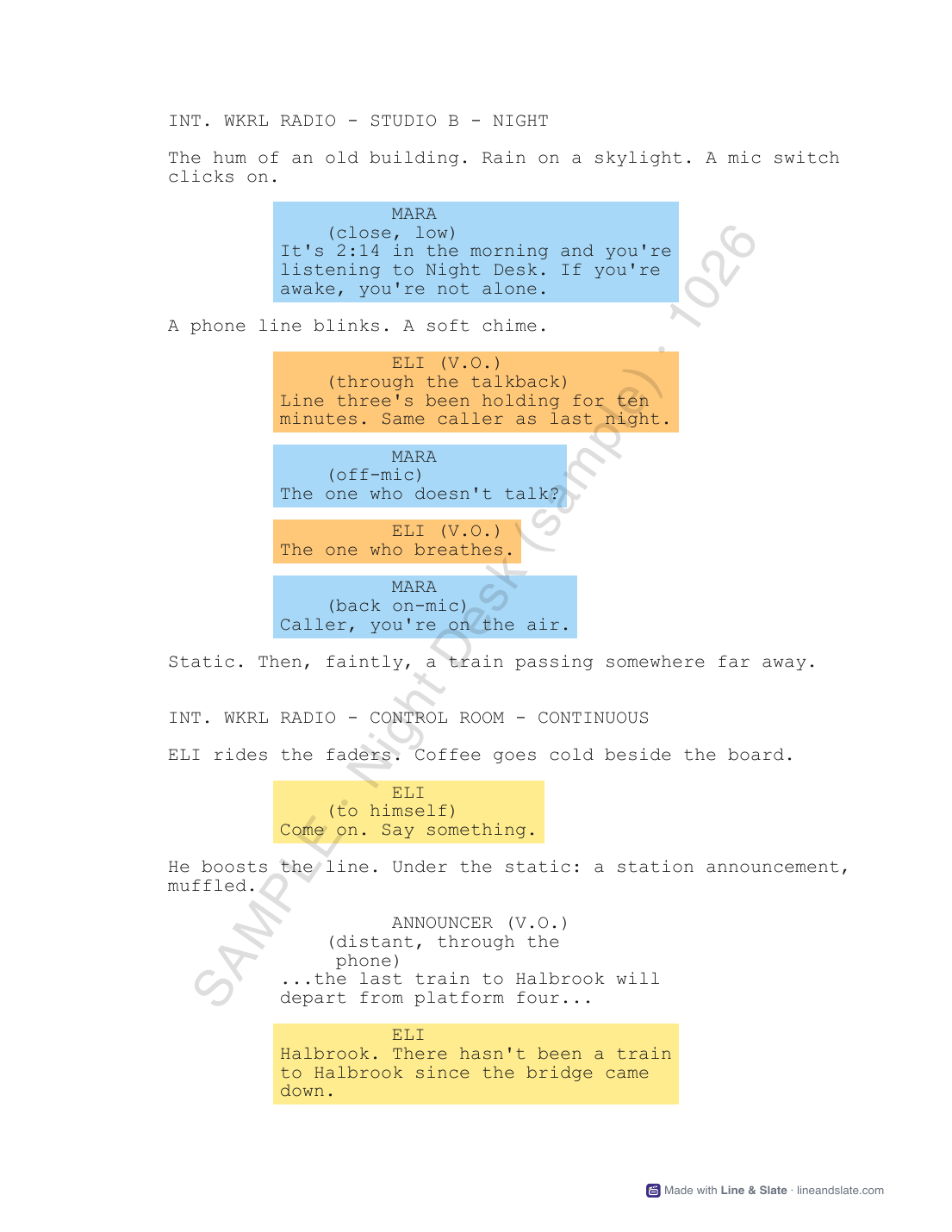
Sample project · PDF
Sides
Share the script pages needed for the work you’ve planned.
Preview sample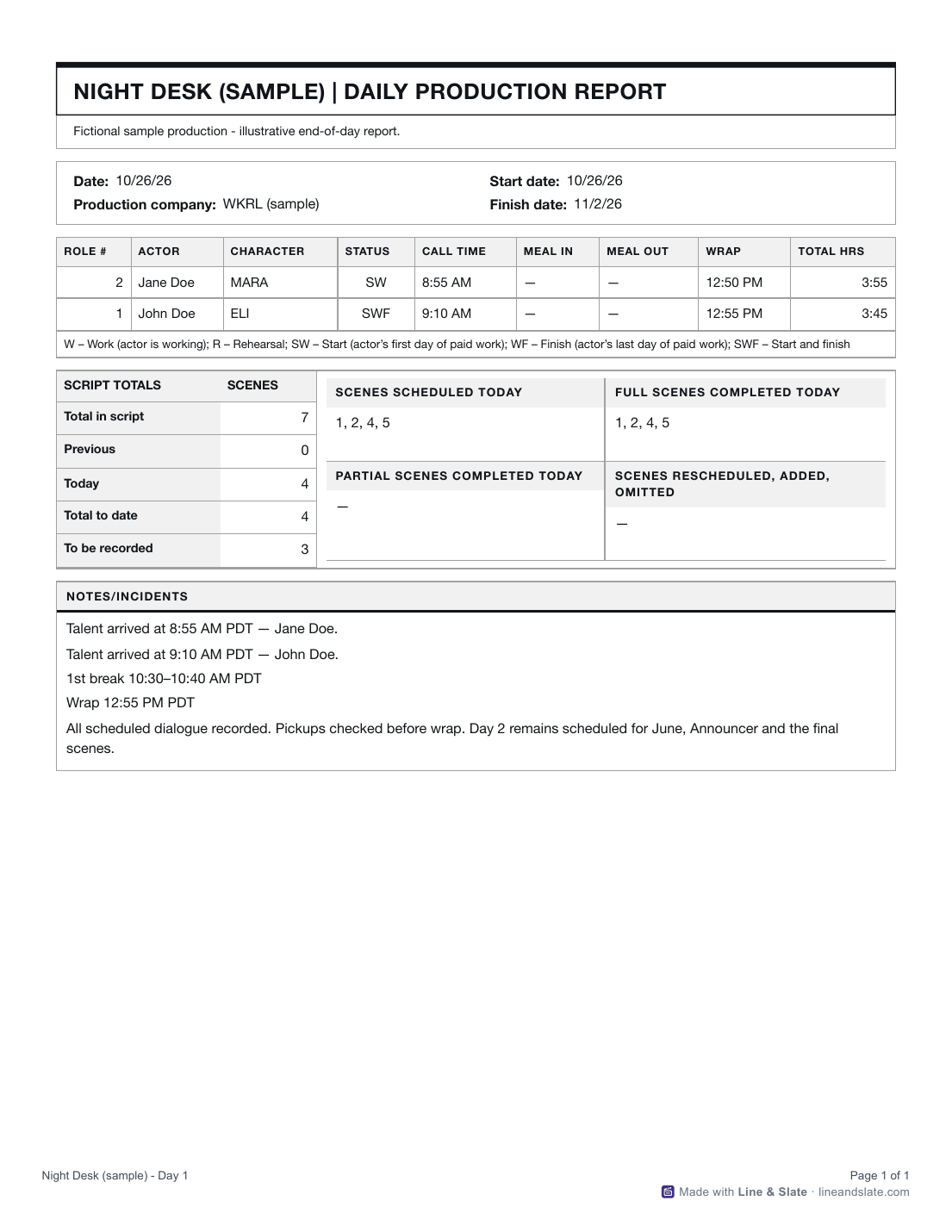
Sample project · PDF
Daily production reports
Turn the day’s logged progress, times, and notes into a report ready to share.
Preview sampleAgreements, kept with the plan
Know what’s signed. See what’s due.
Keep agreement details and deadlines alongside your recording plan, so you can see what needs attention before the day begins.
Extract details on your device.
Extract names, dates, and key terms with on-device AI, then review them against the original. Your contracts stay on your device, without being uploaded for third-party analysis.
Spot unsigned agreements.
See unsigned agreements flagged for people scheduled to work, so you can follow up before recording day.
Keep deadlines in view.
Track agreement milestones and deadlines, with what’s due and overdue visible alongside the plan.
Built for sensitive productions
Your production belongs on your machine.
Projects, scripts, contracts, contacts, schedules, and progress are stored locally. You choose what leaves the app and when.
Join the waitlist
Put your name on the slate.
We’re getting Line & Slate ready for its first producers. Leave your email and we’ll let you know when you can try it.